
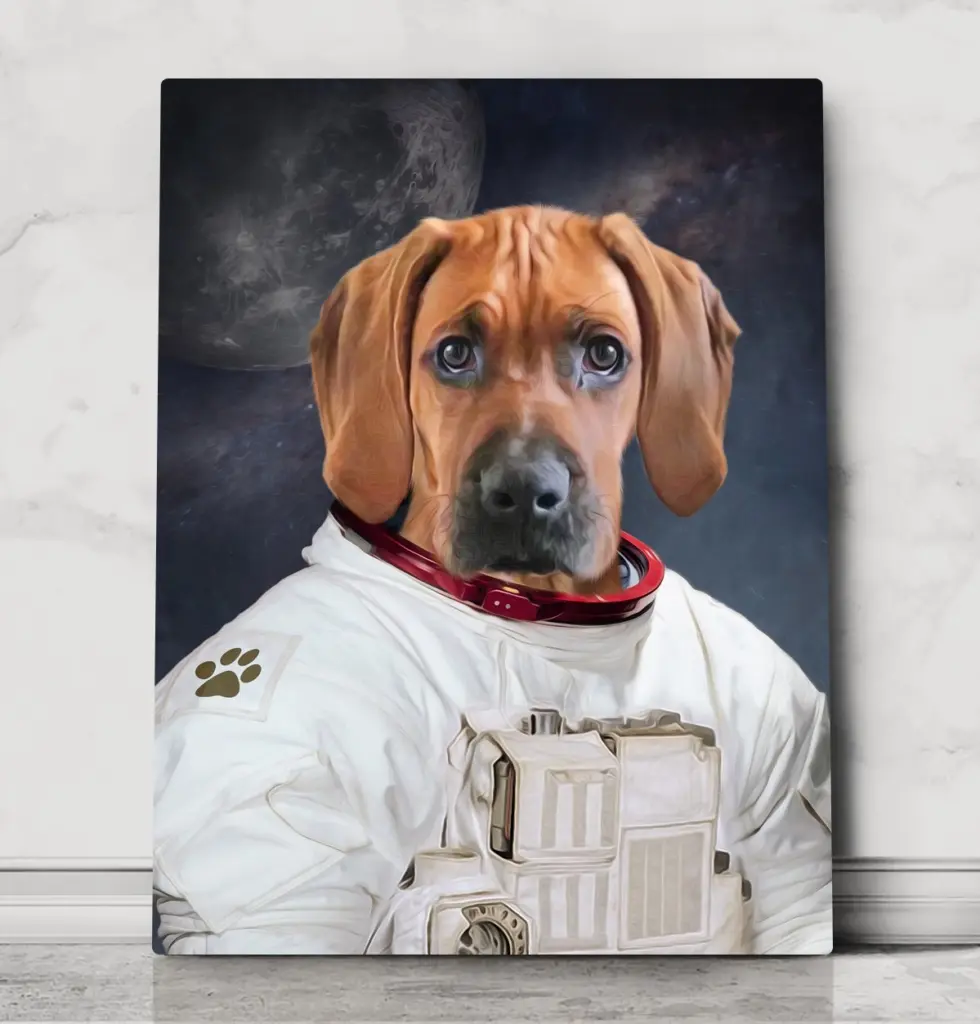
Every royal portrait we create starts with one thing: your photo. Our designers can change the costume, the background and the lighting of the painting – but they can’t invent detail that isn’t in the picture. A sharp, well-lit photo is the single biggest factor in how good the finished portrait looks. The good news: you don’t need a professional camera. A modern phone and these seven tips are all it takes.

1. Use soft, natural daylight
Light is everything. The best photos are taken outdoors on a bright but overcast day, or indoors next to a large window. Avoid harsh midday sun (it creates dark shadows and squinting eyes) and avoid flash, which flattens fur and causes glowing “red eye”. If the fur colour in the photo doesn’t match your pet in real life, the painting won’t either.
2. Get down to your pet’s eye level
Royal portraits are composed as if the artist is looking your pet straight in the eye. Photos taken from above make heads look large and bodies small, and they don’t fit a regal pose. Kneel, sit or lie on the floor so the camera is level with your pet’s eyes.
3. Get close – but keep the whole head in frame
The closer the photo, the more detail we can use: whiskers, eye colour, the texture of the fur. Fill most of the frame with your pet’s head and chest, but make sure nothing is cut off – especially the ears. Cropped ears are one of the most common reasons we ask for a new photo.
4. Keep it sharp
A blurry photo leads to a blurry portrait. Tap your phone screen on your pet’s eyes to focus, hold the phone with both hands and take several shots in a row. If your pet won’t sit still, wait until they’re tired after a walk, or have someone hold a treat just above the camera.
5. Show the chest for costume templates
Many of our costumes – uniforms, gowns, ruffled collars – sit on your pet’s chest. A photo that shows the head and the top of the chest helps the costume look natural. Collars are fine: we remove them for you.
6. Choose a natural expression
We can sometimes tidy up small things like tear stains or a crumb in the fur, but we can’t open a closed mouth or add a smile. Pick the photo that already shows the expression you love most – the head tilt, the proud look, the slightly confused ears.
7. Upload the original file
Upload the photo straight from your phone or camera rather than a screenshot or a picture sent through a messaging app, which shrinks it. Our upload accepts JPG, PNG, WebP and iPhone HEIC photos. For portraits with more than one pet, upload one photo per pet.
Photos that don’t work well
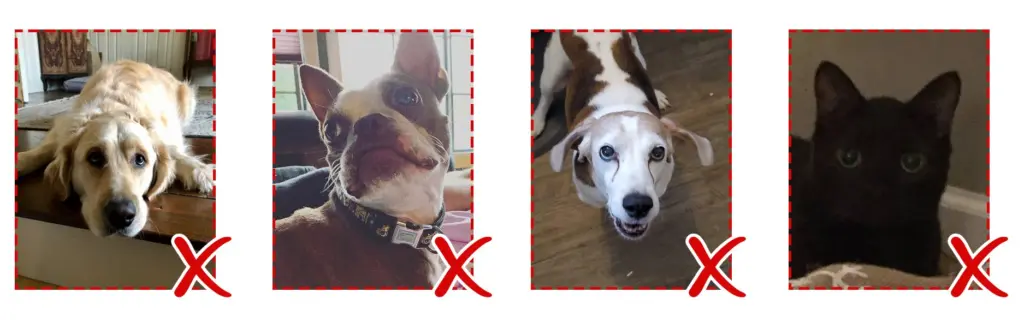
- Your pet lying down with the head turned away.
- Photos taken from below or from high above.
- Dark photos, or photos where part of the face is in shadow.
Not sure your photo is good enough?
Don’t worry. We check every photo before we start, and if it won’t give a great result we’ll ask you for another one. You’ll also see a proof of your portrait by email before anything is printed, with unlimited revisions. Ready? Choose a costume, or read our step-by-step ordering guide.